Anki Cozmo · Volume 6
Does It Still Work? Buying and Running One Now
6.1 The short answer
Yes, with one qualification, and the qualification is not the robot.
A Cozmo in working order, with a phone or tablet that can run the app, plays exactly as it did in 2016. No account is required. No server is contacted. No subscription exists. The shutdown of Anki in 2019 and the dormancy of Digital Dream Labs afterwards removed nothing that Cozmo needs, for the architectural reasons set out in Vol 4.
The qualification is the app. Cozmo without a running app is an inert object, and the app is the one component that depends on a company continuing to do work. That is the axis on which a purchase should be evaluated.
6.2 The app, at the time of writing
This section dates faster than anything else in the dive, and its contents should be re-checked rather than trusted.
A Cozmo Robot application is listed on the Apple App Store under the developer
Digital Dream Labs LLC, requiring iOS 12.0 or later, and priced at USD 2.99.
That price is itself a change worth noting: the app was free during Anki’s lifetime.
An Android package identified as com.digitaldreamlabs.cozmo2 is also in circulation,
and a separate com.anki.cozmo20 package exists corresponding to the “Cozmo 2.0”
product.
Several things about this were not established during this research and should not be assumed:
- whether the original Anki-era app remains listed, or has been superseded entirely
- whether the current listing supports original Cozmo hardware, Cozmo 2.0, or both
- the current Android availability and version on the official store
- whether either listing is actively maintained or merely still present
Anyone buying a Cozmo should verify that a compatible app installs and runs on a device they actually own, before purchasing the robot. This is the single most important pre-purchase check, and it is one that cannot be performed on the seller’s behalf.
6.3 What to inspect before buying
There is no warranty, no repair channel and no spare-parts supply. Everything below is therefore a condition question rather than a returnable defect.
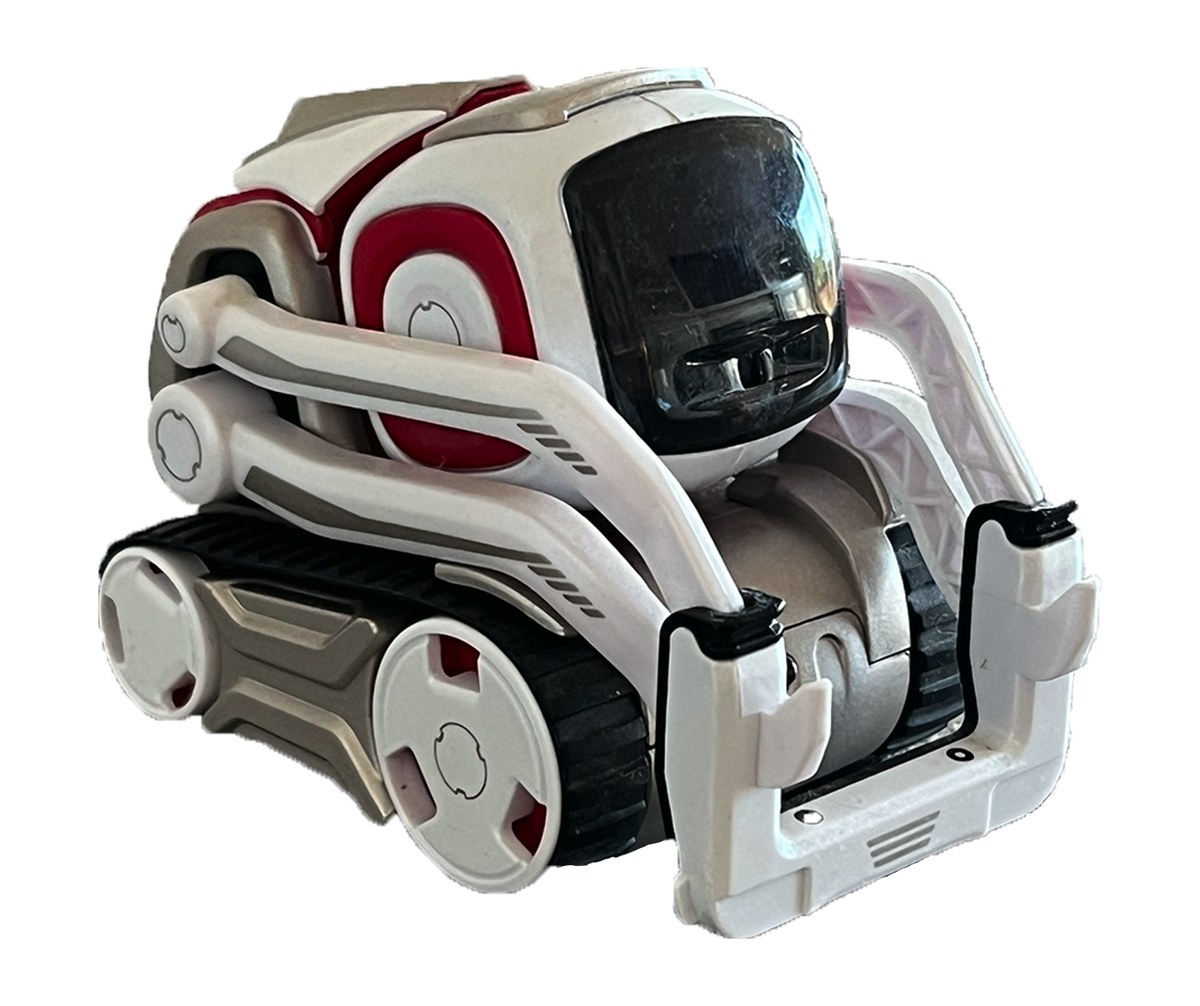
The treads. Rubber tracks are the most common wear item on any treaded machine and they perish with age regardless of use. Replacement treads were sold by Digital Dream Labs and appear in its accessory listings; availability now is uncertain. Inspect for cracking, stretching and loss of the drive lugs.
The three Power Cubes. Cubes are frequently lost, and a Cozmo with fewer than three cannot play a substantial fraction of its games. Each cube takes a user-replaceable cell, so a dead cube is usually a battery rather than a failure, but confirm the LEDs light and that all three are present.
The charging platform. The platform is not merely a charger — it is part of the setup procedure, since revealing the Wi-Fi pre-shared key requires the robot to be sitting on it. A Cozmo without its platform is awkward to connect.
The battery. The internal cell is not user-replaceable in normal operation and its capacity, chemistry and expected life are not documented by any reachable source. A runtime figure of around 45 minutes is quoted secondhand and unverified. Cells of this age will have degraded; treat any runtime claim in a listing sceptically.
The display and lift. Check the display for dead regions and the lift arm for full travel. The interleaved row-driving described in Vol 3 means a partially failed panel may not be obvious from a static photograph.
Hardware version. As Vol 1 noted, the four hardware revisions are distinguished mainly by the power button, and the version cannot be determined from a typical listing photograph. It matters only marginally — the backpack button is reported as supported from version 1.5 onward — but a buyer who needs a specific revision should ask.
6.4 Pricing
Original retail was USD 179.99. Digital Dream Labs currently lists “Cozmo 2.0” at USD 399.99 and marks it unavailable, so that figure describes an asking price for a product that cannot be bought rather than a market rate.
The second-hand market was not systematically surveyed for this dive, and no price range is asserted. Secondary robot surveys quote figures in the region of the original retail price and above, but these were not verified and prices for discontinued consumer robots move with collector interest rather than with utility. A buyer should sample current listings directly.
6.5 Setting one up
The procedure follows from the architecture and needs no vendor involvement:
- Install the app on a compatible phone or tablet and confirm it launches.
- Place Cozmo on the charging platform and let it charge.
- Lift the arm to display the Wi-Fi pre-shared key on the robot’s screen.
- Join the
Cozmo_XXXXXXnetwork from the phone using that key. - Open the app. It will find the robot at
172.31.1.1.
A “no internet connection” warning on the phone during step 4 or 5 is expected. The phone has joined a network with no uplink. That is the design, not a fault.
For the pycozmo route, steps 1 and 5 are replaced by a Python environment on a
computer that joins the same network — see Vol 5, including its caveats about what
pycozmo does and does not restore.
6.6 Honest assessment: what is it good for now?
As a toy, it is still good, and that is not a small thing. The animation work Anki did remains the robot’s strongest feature and has aged better than its specifications. Nothing about the experience has degraded.
As a classroom tool, it is compromised but not useless. Code Lab is genuinely well designed and localised. But an institution cannot buy a class set, cannot obtain support, cannot replace a broken unit, and is betting the curriculum on an unmaintained app. For a teacher with units already in a cupboard, it is worth using. For a school choosing a platform today, it is not a defensible purchase — Vol 7 of the Petoi dive in this hub covers what a currently supported alternative looks like.
As a robotics platform, it is a genuinely interesting small machine with a camera, an IMU, encoders, a documented protocol and an MIT-licensed library to speak it. It is also a machine whose most useful software has been dormant for six years and whose vision stack is a work in progress. That is a project, not a product.
As an object lesson, it is excellent, and this is arguably the strongest reason for it to be in this hub at all. Cozmo and Vector are a controlled experiment: same company, same era, same fate, two architectures, two outcomes. Vol 4 draws that lesson out.
6.7 Figure slots for the unit documented here
Sources
- Apple App Store listing for “Cozmo Robot” — developer Digital Dream Labs LLC, iOS 12.0 minimum, USD 2.99, checked at the time of writing.
- Android package identifiers
com.digitaldreamlabs.cozmo2andcom.anki.cozmo20as observed in store and mirror listings. - anki.bot — the Cozmo 2.0 listing at USD 399.99 marked unavailable, and the accessory listings for replacement treads and cubes.
pycozmoREADME and protocol documentation — the charging-platform and lift-arm procedure for revealing the pre-shared key, and the network addressing.- Digital Dream Labs support material and owner reports — the expected “no internet” condition during play.
- iFixit, “Anki Cozmo” — the quoted 45-minute battery figure, treated here as unverified.
Comments (0)