Reachy Mini · Volume 3
The Hardware — Stewart Platform, Two Variants, Three Boxes
3.1 Nine axes, and where they are
Reachy Mini has nine degrees of freedom driven by nine servos:
Table 1 — Reachy Mini has nine degrees of freedom driven by nine servos
| Axis group | Count | Detail |
|---|---|---|
| Head | 6 | three translations (x, y, z) and three rotations (roll, pitch, yaw) |
| Body | 1 | yaw, plus or minus 160 degrees |
| Antennas | 2 | one rotation each |
The head’s six axes are the interesting part, and they are not produced by a neck.
3.2 The Stewart platform
The head sits on a parallel Stewart platform — six linkages running from the body to the underside of the head, each driven by its own servo. Extending and retracting the six in combination positions the head in all six degrees of freedom at once.
This is a consequential choice. A conventional robot neck is a serial chain: a yaw joint carrying a pitch joint carrying a roll joint, each motor bearing the weight of everything above it. A parallel mechanism distributes the load across all six actuators simultaneously, which buys three things that matter for an expressive desktop robot:
Stiffness. Six linkages in parallel resist deflection far better than a stacked chain, so the head does not wobble after it stops.
Small, cheap actuators. Load sharing means no single servo has to be sized for the whole head.
Translation, not just rotation. This is the capability a serial neck simply does not have. Reachy Mini can move its head bodily — shift it forward, lift it, lean it — without rotating it. That is what produces the recognisably organic quality of its motion: real creatures lean in as well as tilting, and a robot that can only rotate about a fixed point cannot.
The cost is a smaller working envelope and more complex kinematics, which the SDK hides.
3.3 The safety limits
The software enforces a limit set that reflects the mechanism’s real constraints:
Table 2 — The software enforces a limit set that reflects the mechanism's real constraints
| Axis | Range |
|---|---|
| Head pitch and roll | -40 to +40 degrees |
| Head yaw | -180 to +180 degrees |
| Body yaw | -160 to +160 degrees |
| Head-to-body yaw difference | maximum 65 degrees |
The last row is the mechanically interesting one. Head yaw and body yaw may each be large, but they may not differ by more than 65 degrees — a constraint imposed by the cable loom running up through the body into the head. Twist the two too far apart and the wiring binds.
The SDK clamps out-of-range targets to the nearest legal pose rather than raising an error. That is a defensible choice for a robot that non-programmers will drive from generated motion, and it is one worth knowing about, because a target that appears to have been accepted may not be the target that was executed.
3.4 Sensing
Table 3 — Sensing
| Sensor | Detail |
|---|---|
| Camera | wide-angle; Raspberry Pi Camera v3 class, Sony IMX708, 12 MP, autofocus |
| Microphones | 4, PDM MEMS digital, 16 kHz maximum |
| Speaker | 5 W into 4 ohms |
| IMU | accelerometer, gyroscope, quaternion, temperature — Wireless only |
The four-microphone array supports direction-of-arrival estimation, exposed through the SDK: the robot can work out which way a sound came from and turn toward it. Combined with the face tracking described in Vol 4, that is the core of its attention behaviour.
The IMU is fitted only to the Wireless variant. This is the least obvious difference between the two and the one most likely to catch a buyer out, since an IMU is not something a tethered robot obviously lacks. Any application depending on knowing the robot has been picked up, tilted or knocked requires the Wireless.
3.5 Lite versus Wireless
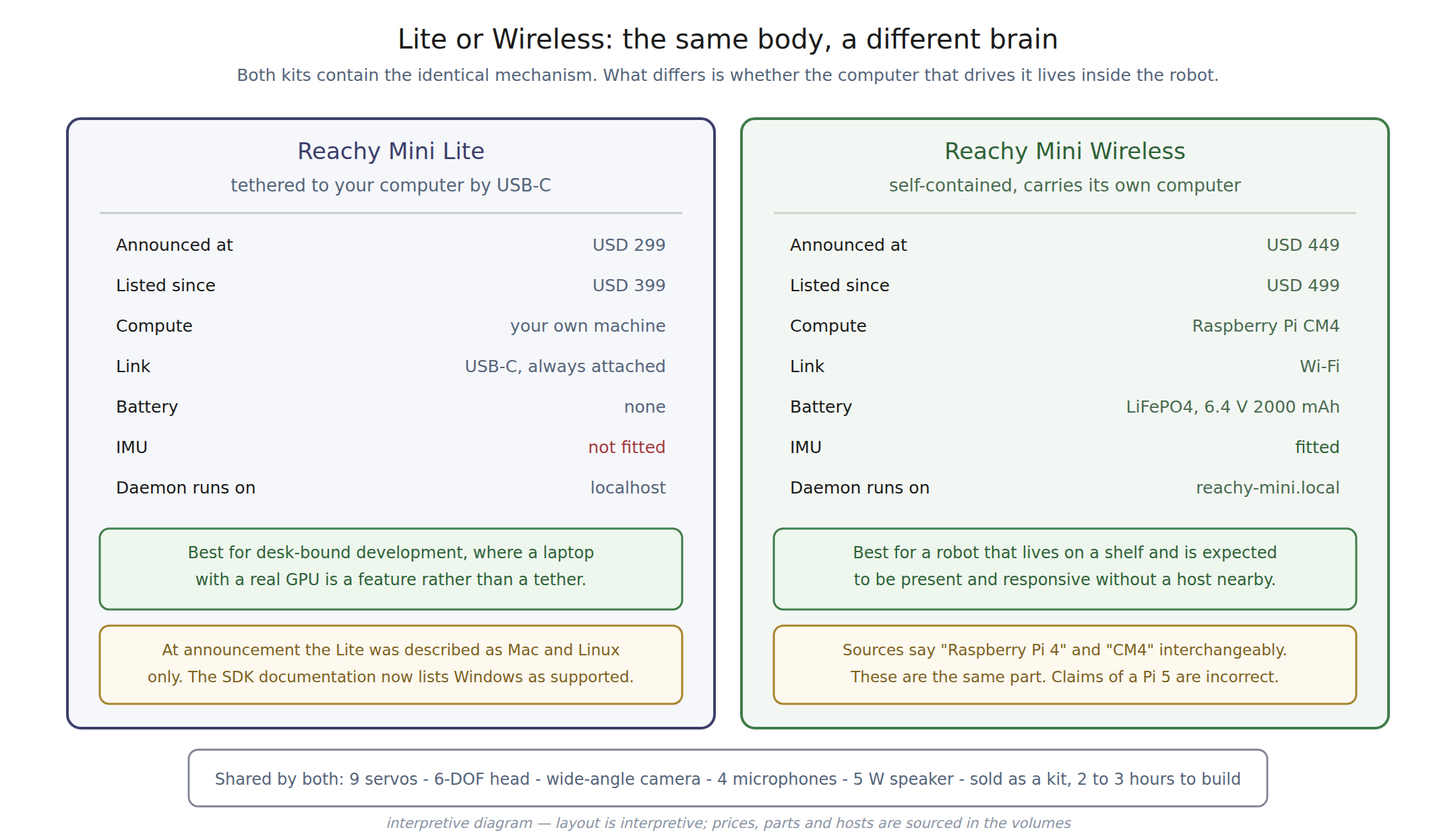
Table 4 — Lite versus Wireless
| Lite | Wireless | |
|---|---|---|
| Compute | the owner’s computer | Raspberry Pi CM4, 4 GB RAM, 16 GB storage |
| Connection | USB-C, permanently attached | Wi-Fi |
| Battery | none | LiFePO4, 6.4 V 2000 mAh, 12.8 Wh |
| IMU | not fitted | fitted |
| Daemon host | localhost | reachy-mini.local |
| Host OS | Linux, macOS, Windows | — |
| Announced price | USD 299 | USD 449 |
| Listed price | USD 399 | USD 499 |
3.5.1 A documentation change worth noting
At announcement the Lite was described as compatible with Mac and Linux, with Windows “soon”. The SDK installation documentation now lists Linux, macOS and Windows all as supported. The promise appears to have been kept — a small thing, but one of the few directly checkable indicators of whether a vendor follows through.
3.5.2 Choosing between them
The Lite is the better development machine. A laptop with real compute attached by a short cable is an advantage, not a limitation, when the work is writing and debugging code — and USD 100 cheaper.
The Wireless is the better robot. A companion that must be plugged into a running computer to be alive is a different object from one that sits on a shelf and responds. The battery, the IMU and the absence of a tether are what make it a presence in a room rather than a peripheral.
3.6 Materials and construction
The robot is built from injection-moulded and 3D-printed plastics — ABS, PLA and PETG — with aluminium structural elements, steel fasteners, and silicone or rubber damping.
The mixture of moulded and printed parts in a shipping product is notable: it implies Pollen is printing the parts whose volumes do not justify tooling, which is consistent with a company shipping in batches rather than at consumer-electronics scale.
3.7 The kit
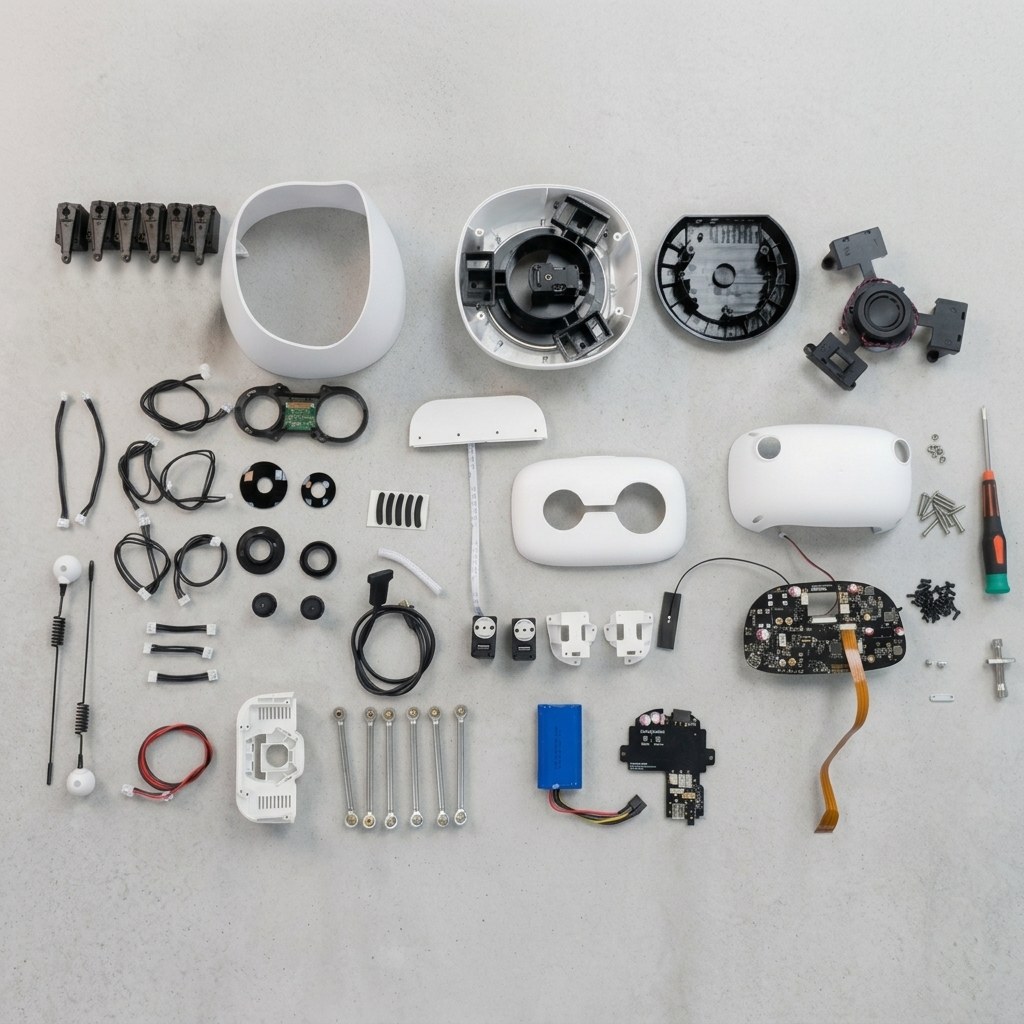
Both variants ship as kits, across three boxes, containing the structure, motors, electronics, camera, microphones, speaker, screws and accessories. Tools and a detailed assembly guide are included. No 3D printer and no soldering are required. Assembly takes two to three hours.
Figure 1 above is the most informative single image available of this robot, and it is worth reading carefully. The six Stewart linkages are visible as identical rods; the servos are a matched set; the main board, battery and camera module are recognisable parts rather than potted assemblies. Nothing in that photograph is a sealed unit.
That is what “designed to be understood” looks like in practice — and it is the sharpest possible contrast with the Cozmo dive in this hub, where establishing the main microcontroller required someone to take a robot apart and read the markings on the chip because the manufacturer never said.
Country of origin is China; design is Bordeaux, France. Lead time is quoted as up to 90 days, with many orders shipping sooner.
3.8 Figure slots for the unit documented here
Sources
- huggingface.co/blog/reachy-mini — dimensions, mass, degrees of freedom, camera, microphone count, speaker, compute, kit form, assembly and lead time, and the original Mac and Linux host-OS statement.
github.com/pollen-robotics/reachy_mini— the CM4 identification, the variant descriptions including the Wireless IMU, and the two-to-three-hour assembly figure.- huggingface.co/docs/reachy_mini, “Core Concepts & Architecture” — the safety limit table, the 65-degree head-to-body yaw coupling limit, and the clamping behaviour.
- huggingface.co/docs/reachy_mini, “Installation” — the current Linux, macOS and Windows support.
- store.pollen-robotics.com, Lite and Wireless listings — kit contents, three boxes, tools and guide included, no soldering, country of origin and lead time.
- robotsguide.com, “Reachy Mini” — the camera part identification, the PDM MEMS microphone detail, the speaker impedance, the LiFePO4 battery specification and the materials list.
Comments (0)